When we write the API using ASP.NET Core, we are using JSON to communicate between the client and the server. However, developers frequently face an error that can stop API requests from working properly:
System.Text.Json.JsonException: The JSON value could not be converted to System.Int32.This error can be frustrating, specifically for beginners working with ASP.NET Core Web APIs. The issue usually occurs during the deserialization process, when ASP.NET Core attempts to convert incoming JSON data into a C# object.
By the end of this article, you will have a clear understanding of how to troubleshoot and fix JSON conversion errors in .NET applications.
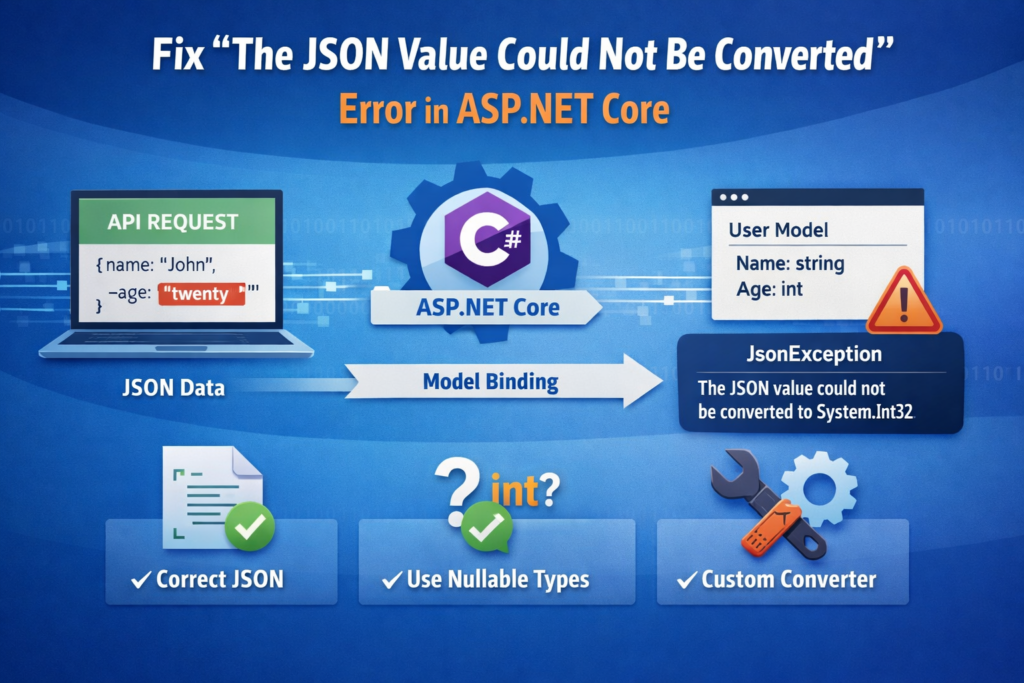
Understanding JSON Deserialization in ASP.NET Core
Before discussing the error, important to understand how JSON deserialization works in ASP.NET Core.
When a client sends a request to an API endpoint, the request body contains JSON data. ASP.NET Core automatically converts that JSON into a C# model object. This process is called deserialization.
For example, assume an API endpoint that receives user information.
JSON Request
{
  "name": "John",
  "age": 25
}
C# Model
public class User
{
    public string Name { get; set; }
    public int Age { get; set; }
}
ASP.NET Core uses the System.Text.Json serializer to convert the JSON data into the User object. If the JSON data types match the model types, everything works perfectly.
But, if the JSON structure does not match the model, the framework throws a JsonException, which results in the error:
The JSON value could not be convertedExample Scenario for This Error
Let’s take a simple example.
API Model
public class User
{
    public string Name { get; set; }
    public int Age { get; set; }
}
API Controller
[HttpPost]
public IActionResult CreateUser(User user)
{
    return Ok(user);
}
Problematic JSON Request
{
  "name": "John",
  "age": "twenty"
}
Here the Age property is defined as an integer, but the JSON request sends the value as a string.
When ASP.NET Core tries to deserialize the JSON, it cannot convert "twenty" into an integer. As a result, the API throws the error:
The JSON value could not be converted to System.Int32Common Causes of This Error
There are several reasons why this error may occur in your ASP.NET Core application.
1. Incorrect Data Type in JSON
This is the most common reason.
Example:
{
  "price": "100"
}
If the model expects an integer but receives a string, the conversion fails.
2. Null Value for Non-Nullable Property
Example model:
public int Age { get; set; }If the JSON request sends:
{
  "age": null
}
The serializer cannot assign null value.
3. Invalid Boolean Values
Boolean values must be either true or false.
Incorrect JSON:
{
  "isActive": "yes"
}
Correct JSON:
{
  "isActive": true
}
4. Incorrect Date Format
DateTime fields must be valid date format.
Incorrect:
{
  "date": "31-02-2024"
}
Correct ISO format:
{
  "date": "2024-02-20T10:00:00"
}
5. Arrays vs Objects
Sometimes developers accidentally send arrays when the API expects an object.
Example:
[
  {
    "name": "John"
  }
]
But the API expects:
{
  "name": "John"
}
Solution 1: Fix the JSON Request
The easiest solution is to ensure the JSON request matches the expected data types.
Incorrect request:
{
  "name": "John",
  "age": "25"
}
Correct request:
{
  "name": "John",
  "age": 25
}
Matching the data types prevents the serializer from throwing an exception.
Solution 2: Use Nullable Types in the Model
If your API may receive null values, you should use nullable types.
Example:
public class User
{
    public string Name { get; set; }
    public int? Age { get; set; }
}
Now the API accepts:
{
  "name": "John",
  "age": null
}
Using nullable types makes your API more flexible.
Solution 3: Use Custom JSON Converters
Sometimes APIs need to accept multiple formats for the same value. In such cases, a custom JSON converter can help.
Example converter that accepts both strings and numbers:
public class IntConverter : JsonConverter<int>
{
    public override int Read(ref Utf8JsonReader reader, Type typeToConvert, JsonSerializerOptions options)
    {
        if (reader.TokenType == JsonTokenType.String)
        {
            return int.Parse(reader.GetString());
        }
        return reader.GetInt32();
    }
    public override void Write(Utf8JsonWriter writer, int value, JsonSerializerOptions   options)
    {
        writer.WriteNumberValue(value);
    }
}
Register the converter:
builder.Services.AddControllers().AddJsonOptions(options =>
{
    options.JsonSerializerOptions.Converters.Add(new IntConverter());
});
This allows the API to accept both:
"age": "25"and
"age": 25Solution 4: Enable Model Validation
Adding validation attributes helps prevent invalid data from reaching your application logic.
Example:
using System.ComponentModel.DataAnnotations;

public class User
{
    [Required]
    public string Name { get; set; }
    [Range(1,120)]
    public int Age { get; set; }
}
If invalid data is sent, ASP.NET Core automatically returns a 400 Bad Request with validation errors.
Solution 5: Enable Detailed Error Messages
During development, enabling detailed error messages can help you quickly identify the issue.
Update Program.cs:
builder.Services.AddControllers()
    .AddJsonOptions(options =>
    {
        options.JsonSerializerOptions.PropertyNameCaseInsensitive = true;
    });
You can also enable developer exception pages in development mode.
The “The JSON value could not be converted” error is one of the most common issues developers face when building APIs with ASP.NET Core. It usually happens because of data type mismatches between JSON requests and C# models.
Fixing this issue is straightforward once you understand the root cause. By ensuring that JSON data types match your model properties, using nullable types when necessary, and implementing validation and custom converters, you can prevent most serialization errors.
Following the best practices outlined in this guide will help you build robust, reliable, and developer-friendly ASP.NET Core APIs.
2 thoughts on “How to Fix “The JSON Value Could Not Be Converted” ASP.NET Core”
This post adds real value to readers.
Thank you
Comments are closed.