Introduction
JavaScript is Everywhere. A ton of web pages are built on JavaScript. JavaScript continues to grow with powerful features. It helps developers to write clean, efficient, and maintainable code. Whether you’re a beginner or an experienced developer, understanding these new JavaScript features can be save you’re development time.
In this article, we’ll discuss the top JavaScript features every developer should know and provide practical examples for each.
According to all serveys Javascript is the number one web development programming language. Whether it’s a small startup or a multi-billion-dollar company, they use JavaScript. If you’re facing an interview, they ask JavaScript technical questions, so learning new features is very important if you’re a web developer. let start the begin
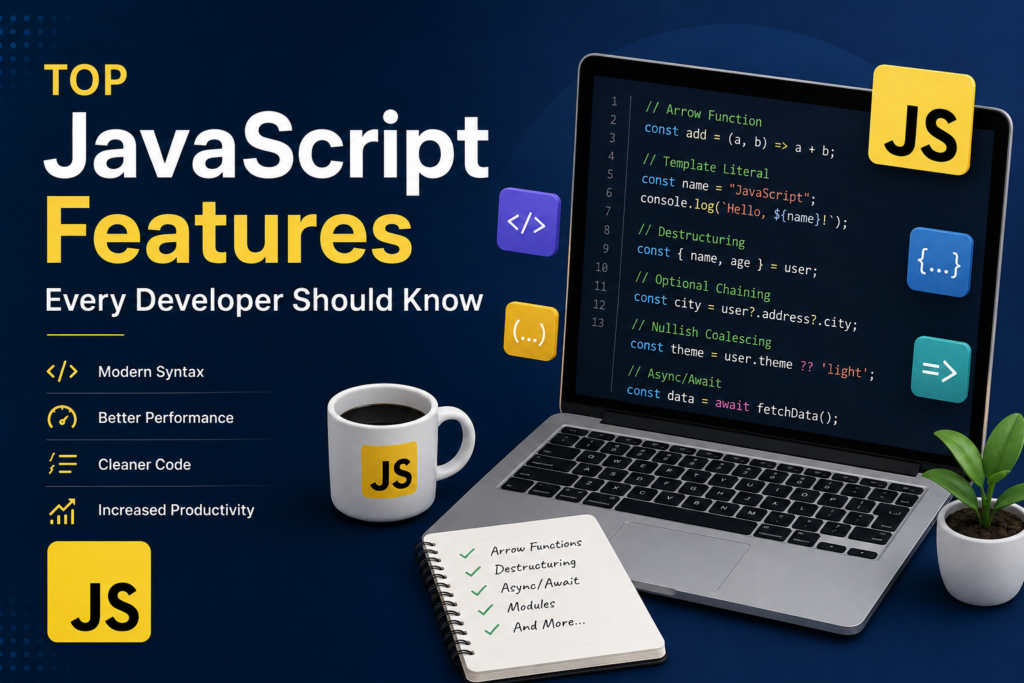
1. Arrow Functions
Arrow functions, introduced in ES6, provide a more concise syntax for writing function expressions. Beyond the shorter syntax, they behave differently from traditional functions in one important way: they don’t have their own this binding. Instead, they inherit this from the surrounding (lexical) scope.
Traditional Function
function greet(name) {
    return 'Hello, ${name}';
}
Arrow Function
const greet = (name) => 'Hello, ${name}';When a function body is a single expression, you can omit the curly braces and the return keyword entirely, as shown above. This is called an “implicit return” and works great for short, simple functions.
Why this matters
One of the most common pain points with traditional functions is losing track of this inside callbacks. Consider this example using a regular function inside a class method:
class Timer {
    constructor() {
        this.seconds = 0;
    }

    start() {
        setInterval(function () {
            this.seconds++; // 'this' is undefined or refers to the wrong object here
            console.log(this.seconds);
        }, 1000);
    }
}
With an arrow function, this correctly refers to the Timer instance, because arrow functions don’t create their own this:
class Timer {
    constructor() {
        this.seconds = 0;
    }

    start() {
        setInterval(() => {
            this.seconds++; // 'this' correctly refers to the Timer instance
            console.log(this.seconds);
        }, 1000);
    }
}
Benefits
- Cleaner, more compact syntax, especially for short callback functions
- Easier to read when chaining array methods like
map,filter, andreduce - Lexical
thisbinding eliminates a common source of bugs in callbacks and event handlers
When to be careful
Arrow functions are not always a drop-in replacement for regular functions. Avoid using them for object methods or constructor functions where you need this to refer to the calling object, since arrow functions won’t have their own this in those cases.
2. Template Literals
Template literals, denoted by backticks (`) instead of single or double quotes, make string construction far more readable. They support embedded expressions, multiline strings, and even tagged templates for advanced use cases.
Basic Example
const name = "John";
const age = 25;

console.log('My name is ${name} and I am ${age} years old.');
Compare this to the old way of concatenating strings:
console.log("My name is " + name + " and I am " + age + " years old.");As expressions get more complex, string concatenation becomes harder to read and more error-prone (missing spaces, mismatched quotes, and so on). Template literals avoid all of that.
Multiline Strings
Before template literals, creating multiline strings required awkward concatenation with \n or + operators. Template literals make this trivial:
const message = `
Dear ${name},

Thank you for your order. Your total is $${total}.

Regards,
The Team
`;
Embedding Expressions, Not Just Variables
You can place any valid JavaScript expression inside ${}, including function calls, ternary operators, and arithmetic:
const price = 19.99;
const quantity = 3;

console.log(`Total cost: $${(price * quantity).toFixed(2)}`);
console.log(`Status: ${quantity > 0 ? "In Stock" : "Out of Stock"}`);
Benefits
- Improved readability, especially when mixing text and variables
- Native support for multiline strings without special characters
- Cleaner interpolation of variables and expressions directly into strings
3. Destructuring Assignment
Destructuring allows you to unpack values from arrays or properties from objects into distinct variables in a single, concise statement. It’s one of the features that, once you get used to it, you’ll find yourself using constantly.
Object Destructuring
const user = {
    name: "John",
    age: 25
};

const { name, age } = user;

console.log(name); // "John"
console.log(age);  // 25
You can also rename variables while destructuring, which is useful when a property name conflicts with an existing variable or doesn’t fit your naming convention:
const { name: userName, age: userAge } = user;You can assign default values for properties that might not exist on the object:
javascript
const { name, age, country = "Unknown" } = user;

console.log(country); // "Unknown" since 'country' isn't on the object
Array Destructuring
const colors = ["red", "green", "blue"];

const [first, second] = colors;

console.log(first);  // "red"
console.log(second); // "green"
Array destructuring is particularly handy when working with functions that return multiple values, or with React’s useState hook:
const [count, setCount] = useState(0);Destructuring in Function Parameters
A very common and powerful pattern is destructuring directly in function arguments, which makes it immediately clear what properties a function expects:
function printUser({ name, age }) {
    console.log(`${name} is ${age} years old.`);
}

printUser(user);
Benefits
- Reduces the amount of code needed to extract values
- Makes function signatures self-documenting
- Works seamlessly with default values and renaming
4. Spread Operator (…)
The spread operator (...) allows you to “expand” the contents of an array, object, or iterable into individual elements. It’s the modern, immutable-friendly way to copy and merge data structures.
Array Example
const numbers = [1, 2, 3];
const newNumbers = [...numbers, 4, 5];

console.log(newNumbers); // [1, 2, 3, 4, 5]
This creates a brand new array rather than mutating the original numbers array, which is important when working with frameworks like React that rely on immutability to detect changes.
Object Example
const user = {
    name: "John"
};

const updatedUser = {
    ...user,
    age: 25
};

console.log(updatedUser); // { name: "John", age: 25 }
If a property exists in both the spread object and the new object, the latter one wins. This makes the spread operator perfect for updating specific fields without mutating the original object:
const updatedUser = {
    ...user,
    name: "Jane" // overrides the original "John"
};
Combining Multiple Sources
You can spread multiple arrays or objects into one:
const defaults = { theme: "light", fontSize: 14 };
const userPreferences = { fontSize: 18 };

const settings = { ...defaults, ...userPreferences };
// { theme: "light", fontSize: 18 }
The Rest Pattern
A closely related concept is the “rest” pattern, which collects remaining elements into a new array or object. While it looks similar (...), it’s used in destructuring to gather leftovers:
const [first, ...rest] = [1, 2, 3, 4];
console.log(first); // 1
console.log(rest);  // [2, 3, 4]
Benefits
- Simplifies copying arrays and objects without mutating the original
- Makes merging data structures concise and readable
- Encourages immutable update patterns, which are especially important in frameworks like React and Redux
5. Optional Chaining (?.)
Optional chaining, introduced in ES2020, lets you safely access deeply nested properties without worrying about throwing a TypeError. If an intermediate value is null or undefined.
The Problem It Solves
Without optional chaining, accessing a deeply nested property required verbose checks at every level:
const city = user && user.address && user.address.city;If user or user.address is null or undefined, this expression short-circuits and city becomes undefined instead of throwing an error. But writing this manually for every nested property quickly becomes tedious and hard to read.
With Optional Chaining
const city = user?.address?.city;If user is null or undefined, the entire expression short-circuits and returns undefined immediately, without attempting to access .address or .city.
Optional Chaining with Methods
Optional chaining also works when calling methods that might not exist:
user.greet?.(); // calls greet() only if it existsOptional Chaining with Arrays
It works with array indices too:
const firstItem = data?.items?.[0];Combining with Nullish Coalescing
Optional chaining pairs naturally with the nullish coalescing operator (covered next) to provide a fallback value:
const city = user?.address?.city ?? "Unknown";Benefits
- Cleaner code compared to chains of
&&checks - Reduces runtime errors caused by accessing properties on
nullorundefined - Makes working with optional or partially-loaded data (such as API responses) much safer
6. Nullish Coalescing Operator (??)
The nullish coalescing operator (??), also introduced in ES2020, provides a default value specifically when the left-hand side is null or undefined. This makes it distinct from the logical OR operator (||), which triggers on any falsy value, including 0, "", and false.
Example
const username = null;

const displayName = username ?? "Guest";

console.log(displayName); // "Guest"
Why Not Just Use ||?
Consider a function setting that determines how many items to show per page. If a user explicitly sets it to 0 (perhaps to mean “show none”), || would incorrectly override that value:
const itemsPerPage = 0;

const result1 = itemsPerPage || 10; // 10 — wrong! 0 is treated as falsy
const result2 = itemsPerPage ?? 10; // 0 — correct! 0 is a valid value
This distinction matters a lot when dealing with numeric settings, empty strings that are intentionally valid, or boolean false values that represent real data rather than “missing” data.
Combining with Assignment
ES2021 introduced the logical assignment operator ??=, which assigns a value only if the variable is currently null or undefined:
let config = {};

config.timeout ??= 5000; // sets timeout to 5000 only if it's not already set
Benefits
- Provides defaults without accidentally overriding valid falsy values like
0,"", orfalse - Makes intent clearer than
||when checking specifically for “missing” values - Pairs well with optional chaining for safe, defaulted property access
7. Async/Await
async/await, introduced in ES2017, is syntactic sugar built on top of Promises. It allows asynchronous code to be written in a way that looks and behaves more like synchronous code, dramatically improving readability compared to chained .then() calls or nested callbacks.
The Problem It Solves
Before async/await, asynchronous operations often led to “callback hell” or long chains of .then():
fetch('/api/users')
    .then(response => response.json())
    .then(data => {
        console.log(data);
    })
    .catch(error => {
        console.error(error);
    });
While Promises were a big improvement over nested callbacks, chains of .then() can still become hard to follow, especially when you need to combine results from multiple asynchronous calls.
With Async/Await
async function fetchUsers() {
    try {
        const response = await fetch('/api/users');
        const data = await response.json();

        console.log(data);
    } catch (error) {
        console.error(error);
    }
}
The async keyword marks a function as asynchronous, which means it always returns a Promise. The await keyword pauses execution of the function until the Promise resolves, then returns the resolved value, all without blocking the rest of the application.
Error Handling
One of the biggest advantages of async/await is that it lets you use familiar try/catch blocks for error handling, instead of .catch() chains:
async function getUserData(id) {
    try {
        const response = await fetch(`/api/users/${id}`);

        if (!response.ok) {
            throw new Error(`HTTP error: ${response.status}`);
        }

        return await response.json();
    } catch (error) {
        console.error("Failed to fetch user data:", error);
        return null;
    }
}
Running Operations in Parallel
A common mistake is awaiting multiple independent operations sequentially, which slows things down unnecessarily:
// Slower: each request waits for the previous one to finish
const users = await fetchUsers();
const posts = await fetchPosts();
If the operations don’t depend on each other, run them in parallel with Promise.all:
// Faster: both requests run at the same time
const [users, posts] = await Promise.all([fetchUsers(), fetchPosts()]);
Benefits
- Makes asynchronous code read top-to-bottom, like synchronous code
- Simplifies error handling with
try/catch - Easier to debug than long Promise chains, especially with modern dev tools and stack traces
8. Default Parameters
Default parameters, introduced in ES6, let you specify a fallback value for a function parameter if no value (or undefined) is passed in.
Example
function greet(name = "Guest") {
    return 'Hello, ${name}';
}

console.log(greet());        // "Hello, Guest"
console.log(greet("Alice"));  // "Hello, Alice"
Before Default Parameters
Developers used to handle this manually inside the function body:
function greet(name) {
    name = name || "Guest";
    return `Hello, ${name}`;
}
This approach has the same falsy-value problem mentioned earlier with ||. Default parameters avoid this issue because they only kick in when the argument is undefined, not for other falsy values like 0 or "".
Default Parameters Can Reference Other Parameters
Default values can be expressions, and they can even reference earlier parameters in the same function:
function createUser(name, role = "member", id = `${name}-${role}`) {
    return { name, role, id };
}

console.log(createUser("Alice"));
// { name: "Alice", role: "member", id: "Alice-member" }
Combining with Destructuring
Default parameters are especially useful when combined with object destructuring, allowing you to define a whole set of default options in one place:
function createPost({ title, content, published = false } = {}) {
    return { title, content, published };
}

console.log(createPost({ title: "Hello World", content: "My first post" }));
// { title: "Hello World", content: "My first post", published: false }
Benefits
- Removes the need for manual
undefinedchecks inside function bodies - Makes function signatures self-documenting by showing expected defaults
- Improves flexibility, allowing callers to omit arguments they don’t care about
9. Modules (Import & Export)
ES Modules (ESM) provide a standardized way to organize JavaScript code into separate files, each with its own scope. Instead of relying on global variables or older module systems like CommonJS (require/module.exports), ES Modules use the import and export keywords.
Named Exports
You can export multiple values from a single file using named exports:
// config.js
export const apiUrl = "https://example.com";
export const timeout = 5000;
// app.js
import { apiUrl, timeout } from './config.js';
console.log(apiUrl, timeout);Default Exports
A module can also have a single default export, which is useful when a file primarily exports one main thing, like a component or class:
// User.js
export default class User {
    constructor(name) {
        this.name = name;
    }
}
// app.js
import User from './User.js';
const user = new User("Alice");Renaming Imports and Exports
You can rename imports or exports using the as keyword, which is useful for avoiding naming collisions:
import { apiUrl as baseUrl } from './config.js';Why Modules Matter
Before ES Modules became standard, developers relied on tools like bundlers configured for CommonJS, or simply loaded multiple <script> tags and relied on global variables, which often led to naming collisions and unclear dependencies between files.
With modules, each file explicitly declares what it depends on (via import) and what it makes available to other files (via export). This makes dependencies easy to trace, supports “tree shaking” (removing unused code during bundling), and allows tools to analyze your code more effectively.
Benefits
- Encourages breaking large codebases into smaller, focused files
- Makes dependencies between files explicit and easy to trace
- Enables tooling optimizations like tree shaking, reducing the final bundle size
- Avoids polluting the global namespace
10. Array Methods
Modern JavaScript includes a rich set of array methods that support a functional programming style, where you transform data by chaining operations rather than writing manual loops with mutable counters.
map()
map() creates a new array by applying a function to every element of the original array, without modifying the original:
const numbers = [1, 2, 3];

const doubled = numbers.map(num => num * 2);

console.log(doubled);  // [2, 4, 6]
console.log(numbers);  // [1, 2, 3] — unchanged
filter()
filter() creates a new array containing only the elements that pass a test function:
const users = [
    { name: "Alice", age: 17 },
    { name: "Bob", age: 22 },
    { name: "Carol", age: 19 }
];

const adults = users.filter(user => user.age >= 18);

console.log(adults);
// [{ name: "Bob", age: 22 }, { name: "Carol", age: 19 }]
reduce()
reduce() is the most flexible of the three. It “reduces” an array down to a single value by applying a function to an accumulator and each element in turn:
const numbers = [1, 2, 3, 4];

const total = numbers.reduce((sum, num) => sum + num, 0);

console.log(total); // 10
The second argument to reduce() (here, 0) is the initial value of the accumulator. reduce() can do far more than sums; it can build objects, group items, or flatten arrays.
Chaining Array Methods
One of the most powerful aspects of these methods is that they can be chained together to express complex data transformations clearly:
const orders = [
    { product: "Laptop", price: 1200, quantity: 1 },
    { product: "Mouse", price: 25, quantity: 3 },
    { product: "Monitor", price: 300, quantity: 2 }
];

const totalCost = orders
    .filter(order => order.price > 50)
    .map(order => order.price * order.quantity)
    .reduce((sum, cost) => sum + cost, 0);

console.log(totalCost); // 1800
This chain reads almost like a sentence: filter the orders that cost more than 50, map them to their total cost, then sum it all up.
Other Useful Array Methods
A few other array methods worth knowing:
find()returns the first element that matches a conditionsome()returnstrueif at least one element matches a conditionevery()returnstrueif all elements match a conditionincludes()checks whether an array contains a specific valueflat()flattens nested arrays into a single-level array
Benefits
- Encourages a functional, declarative programming style
- Avoids manual loop bookkeeping (counters, mutation, off-by-one errors)
- Makes data transformations easier to read, test, and reason about
Best Practices
To get the most out of these modern JavaScript features, keep the following best practices in mind:
- Use modern syntax whenever possible. Features like arrow functions, template literals, and destructuring aren’t just “nice to have” — they reduce bugs and make code easier to review.
- Prefer
constandletovervar.varhas function-level scoping and can lead to confusing bugs related to hoisting and re-declaration.constandletuse block scoping, which is more predictable. - Use async/await instead of deeply nested callbacks. It results in code that’s easier to read, debug, and maintain, especially as the number of asynchronous steps grows.
- Keep functions small and focused. Smaller functions are easier to test, reuse, and reason about. Many of the features above, like destructuring and default parameters, naturally support writing small, focused functions.
- Organize code using modules. Splitting code into well-defined modules with clear imports and exports makes large codebases far more manageable as they grow.